Overview
Welcome to the EyesOnBio Developer Portal.
EyesOnBio provides a suite of Behavioral Identity Intelligence products that enable organizations to detect fraud, scams and account abuse by analyzing how users naturally interact with digital devices. Unlike traditional security signals such as IP addresses, device fingerprints, or geolocation—which can be spoofed or manipulated—behavioral interactions are unique to every individual and are more difficult to replicate.
Products
Our products are designed to analyze distinct behavioral modalities. Keystroke Watchman analyzes keystroke dynamics, Mouse Insights analyzes mouse movement dynamics, and Swipe Intel analyzes swipe dynamics. These products can be deployed independently to address specific use cases or combined to provide a more comprehensive behavioral risk assessment.
These behavioral signals are processed using AI-driven models to generate real-time risk assessments that help identify suspicious or high-risk user sessions.
Common Use Cases
Our products can be integrated into a wide range of digital workflows, including:
- Fraud Detection
- Account Takeover Detection
- Account Sharing Detection
- Synthetic Identity Detection
- Bot Detection
- Continuous Authentication
- Digital Onboarding and Identity Verification
- Adaptive Authentication and Risk-Based Access Control
Developer Experience
Our ready-to-integrate JavaScript SDK provides the primary integration interface for web applications. It securely collects behavioral telemetry during user interactions and communicates with the EyesOnBio APIs to obtain real-time behavioral risk signals.
For organizations that prefer greater control over the integration or wish to integrate with existing telemetry collection pipelines, EyesOnBio also exposes REST APIs that can be invoked directly to submit behavioral telemetry and receive behavioral risk assessment results. This approach allows developers to integrate the platform using their own data collection mechanisms or backend workflows.
However, for most web applications, we recommend integrating using the EyesOnBio JavaScript SDK.
What You Get
The Developer Portal provides everything required to integrate with the EyesOnBio products, including:
- Getting Started Guide
- JavaScript SDK Reference
- API Reference
- Request and Response Schemas
- Integration Guides
- Release Notes
Whether you are building a fraud prevention platform, digital identity solution, banking application, e-commerce platform, or enterprise security product, our products enable you to enrich your existing risk engine with advanced Behavioral Identity Intelligence without requiring users to perform additional actions or authentication steps.
Getting Started
Welcome to the EyesOnBio Developer Portal. This guide will help you quickly integrate EyesOnBio’s Behavioral Identity Intelligence platform into your web application
Integration Options
EyesOnBio supports two integration approaches:
SDK (Recommended)
The EyesOnBio JavaScript SDK provides the simplest and fastest way to integrate the platform. The SDK automatically captures behavioral telemetry during user interactions and securely communicates with the EyesOnBio cloud platform to obtain behavioral risk assessment results.
Direct API Integration
For organizations that require greater control over behavioral data collection or wish to integrate with their existing telemetry pipelines, EyesOnBio also provides REST APIs. Developers can collect behavioral telemetry using their own implementation and submit it directly to the EyesOnBio platform for analysis and risk assessment.
Detailed information about each endpoint, including request and response schemas, supported parameters, and example payloads, is available in the API Reference section.
Typical Integration Flow
A typical SDK integration follows the workflow below:
Include the EyesOnBio JavaScript SDK in your web application.
Initialize the SDK with your API credentials.
SDK automatically performs the tasks of behavioral telemetry data collection, secure communication with the EyesOnBio platform and delivery of risk assessment results back to your application.
Use the returned risk assessment results within your fraud prevention, authentication, or risk management workflows.
Supported Behavioral Modalities
- Keystroke Watchman – Keystroke Dynamics
- Mouse Insights – Mouse Movement Dynamics
- Swipe Intel – Swipe Dynamics
Authentication
All API requests must be authenticated using the API credentials issued to your organization. Please keep your credentials secure and never expose confidential credentials in client-side code.
Need Assistance
If you require assistance with integration, sandbox access, or have questions about implementing EyesOnBio within your application, please contact our technical support team.
Installation
The EyesOnBio JavaScript SDK provides the recommended integration interface for web applications. The SDK automatically collects behavioral telemetry during user interactions and securely communicates with the EyesOnBio platform to obtain behavioral risk assessment results.
Prerequisites
Before integrating the EyesOnBio SDK, ensure that you have:
- An active EyesOnBio account.
- API credentials issued by EyesOnBio.
- A web application capable of executing JavaScript.
- HTTPS enabled for your application (recommended for production deployments).
Include the SDK
Include the EyesOnBio JavaScript SDK in your web application.
<script src=“https://sdk_url.eyesonbio.com/sdk_file.js"></script>
Note: Replace sdk_url and sdk_file with the values provided by EyesOnBio.
Initialize the SDK
Initialize the SDK using the API credentials issued to your organization.
EyesOnBioSDK.initialize({
apiKey: "YOUR_API_KEY",
organizationId: "YOUR_ORGANIZATION_ID"
});
And You're Done
Once initialized, the EyesOnBio JavaScript SDK automatically manages the entire behavioral assessment workflow—from collecting behavioral telemetry and securely communicating with the EyesOnBio platform to delivering behavioral risk assessment results to your application. This allows you to focus on your application’s business logic rather than the complexities of behavioral data collection and processing. No additional configuration is required for standard integrations.
JavaScript SDK Reference
The EyesOnBio JavaScript SDKs are designed to simplify integration with the EyesOnBio Behavioral Identity Intelligence platform. Once initialized, the SDK automatically manages the behavioral assessment workflow, including telemetry collection, secure communication with the EyesOnBio platform, and delivery of behavioral risk assessment results. No additional SDK methods are required for standard integrations.
SDK Initialization
EyesOnBio.init()
Initializes the EyesOnBio JavaScript SDK.
The SDK requires only a single initialization step. All subsequent operations are handled automatically.
EyesOnBioSDK.initialize({
apiKey: "YOUR_API_KEY",
organizationId: "YOUR_ORGANIZATION_ID"
});
SDK Responsibilities
Once initialized, the SDK automatically:
- Collects behavioral telemetry during user interactions.
- Securely communicates with the EyesOnBio platform.
- Performs behavioral risk assessments.
- Delivers behavioral risk assessment results to your application.
- Manages communication retries and error recovery where appropriate.
No additional SDK methods are required for standard integrations.
Returns
A Promise that resolves with the behavioral risk assessment once the SDK has completed the assessment.
API Reference
Keystroke Watchman
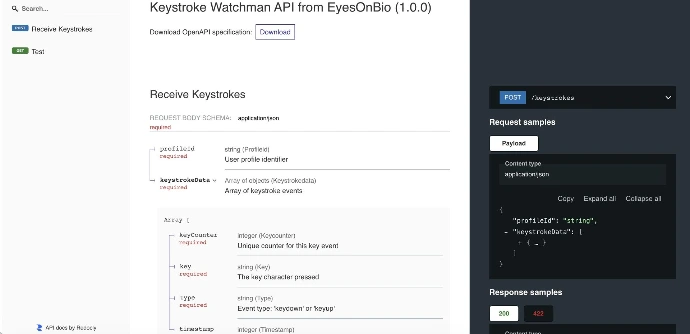
Generates a behavioral risk score based on typing cadence, rhythm, and interaction patterns.
Mouse Insights
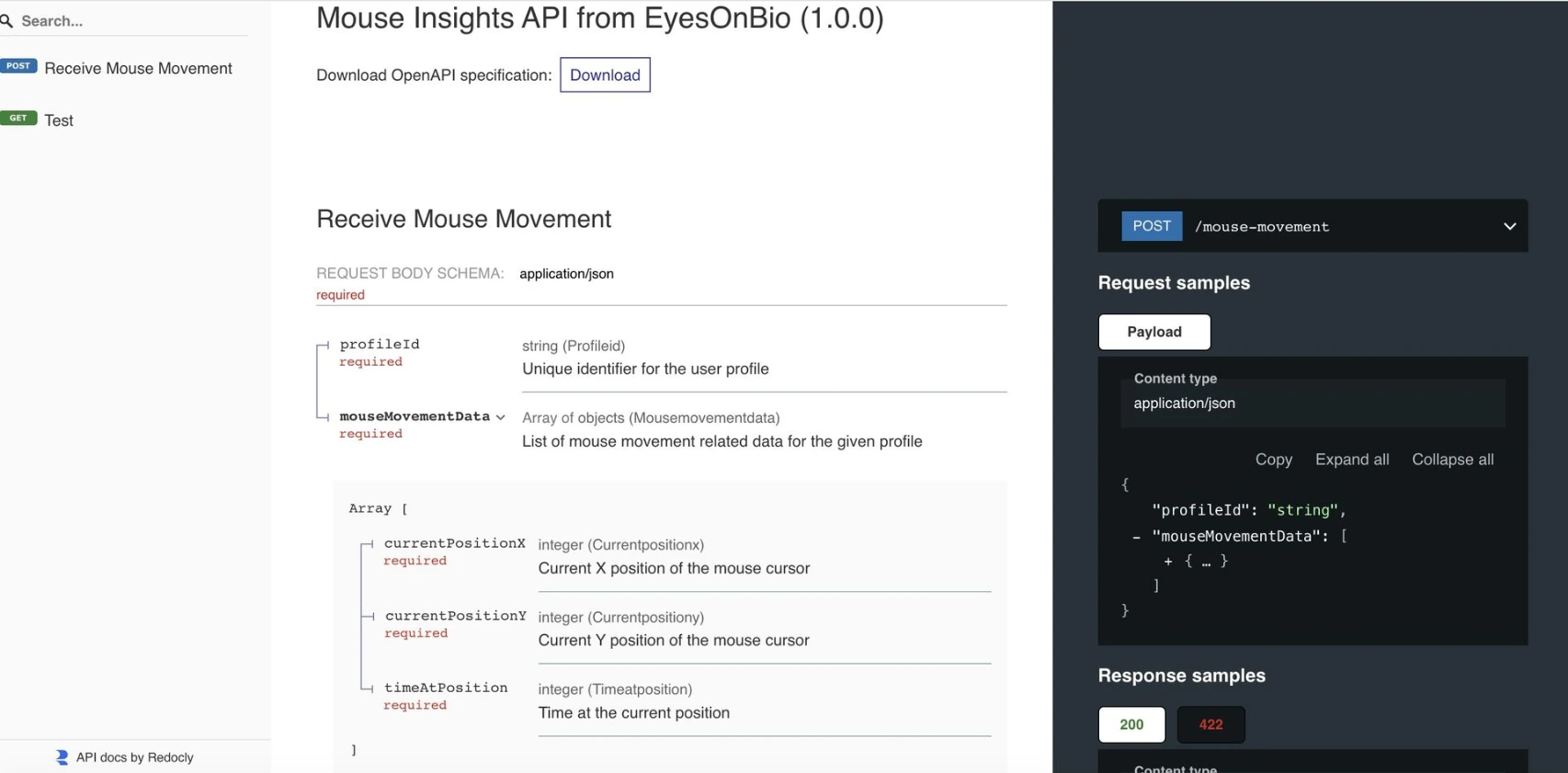
Transforms mouse telemetry into behavioral identity signals that are difficult for attackers to replicate.
Swipe Intel
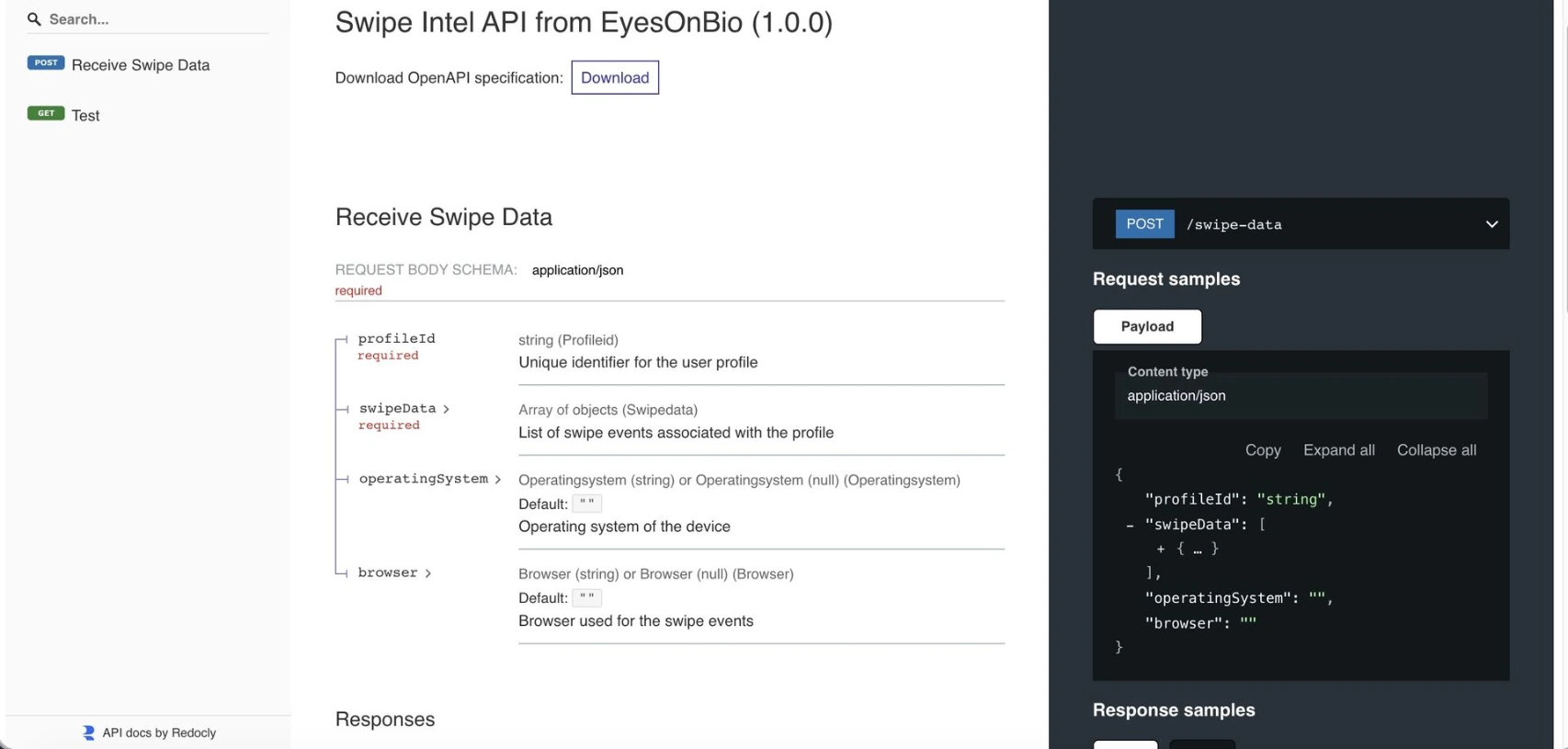
Generates behavioral risk assessment score and severity for significant deviations in natural touch interaction patterns.